Today's software industry is one of the fastest-evolving sectors. No one nowadays assesses the quality of modern software applications only by the features they offer or the problems that they tackle. On the contrary, people now see the quality of software as one that delivers excellent performance, eye-catching and attractive visuals, customization of users' environments, and user interaction that intelligently changes according to the needs of the user. In this new era of digital revolution, user interface (UI) and user experience (UX) design have moved into a strategic position that not only affects customers' satisfaction but also determines the product's adoption and the company's sustainable development in the long run.
Among the many revolutionary changes in the software development sector, two are at the top of the list and have completely reshaped the sector: Artificial Intelligence (AI) and Dark Mode. One of them has redefined how people use the software by introducing automatic operations, forecast analysis, tailoring experiences to particular people, and enabling software systems to work intelligently. The other, Dark Mode, became an extremely popular interface choice since users got a visually pleasing and modern-looking experience when they switched to the mode.
Dark mode has long been an alternative to a bright interface on display. Users would choose their theme by manual switching, either as per their own liking or taking into account external conditions. Most developers simply replaced bright colors with dark ones and called it a day while the theme customizability had been fulfilled. Such an approach certainly did work for a lot of people, but it also lacked smartness at the same time. In other words, the same experience was delivered to every user regardless of how they normally use it, what kind of device it is, where it is located, and how active they were, to mention the major factors.
It is artificial intelligence that can change this state of affairs. Instead of depending solely on manually changed settings, the use of a software is now a way for the software to learn the user's habits, recognize the surrounding context, and so on, to the point of the machine even coming to the conclusion that one of the possible ways of user's future choice has been found, and the machine could then be able to adapt the user interface automatically on its own to create a more user-friendly and efficient environment for the user. AI-based dark mode has therefore not only been a feature of the software's look, but it has also been an important development of software that is continually changing along with its users.
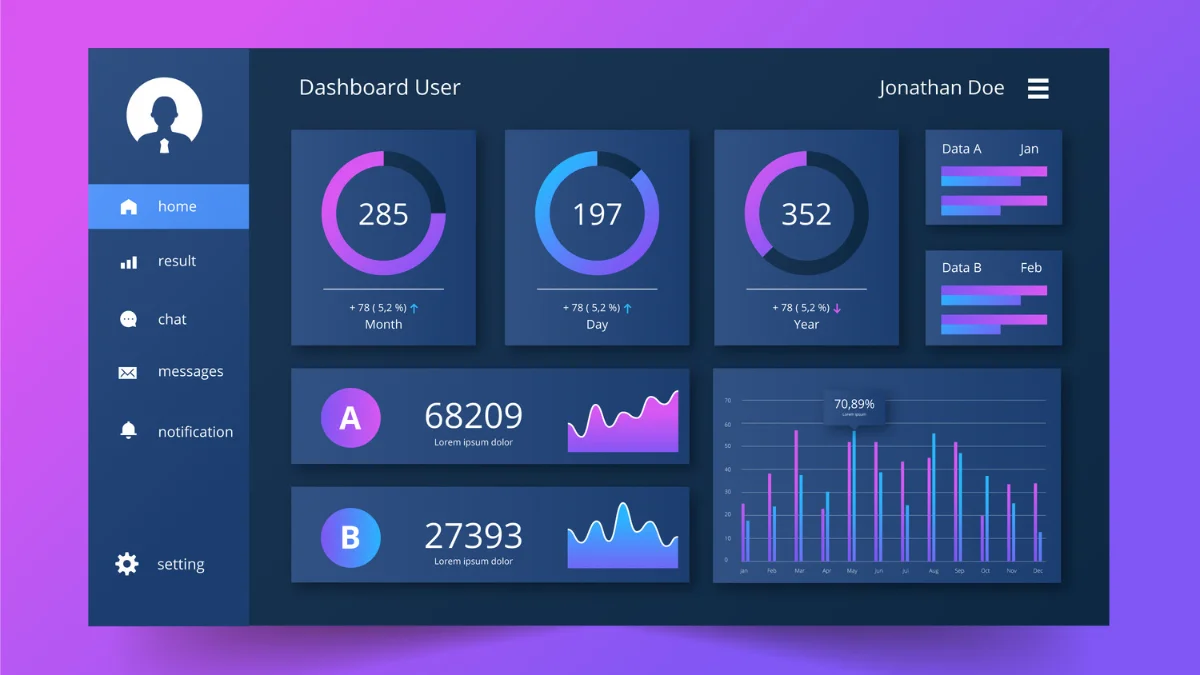
To give a few examples, when it has passed sunset, you have just opened your favorite productivity software without making any choice on the user interface, and the software shows you an ideal dark setting as you would usually be at that hour. Or think of the case when you are using a smartphone app at night with only street lamps lighting up the area you are in, the phone's sensor has noticed the ambient light conditions are low and the colors in such circumstances are getting hard to read if viewed from a very bright display, so it changes the screen to the darker shade to keep the readability and at the same time avoid eye strain of the user who does not have to change settings or modes by themselves. Also, it may not just be the color that is changing but other visual features depending on the app as well. Think of an enterprise software dashboard in your workplace where you have been able to figure out your best way around its complex interface by the end of every session; such a dashboard may be able to remember a layout that helps you best when facing a large amount of data for analysis, and will be automatically showing it to you in that preferred format every time. Nonetheless, the software powered by AI has reached the stage of providing not just an idea of the future but actually a standard level for the software which is capable of being a friend, guide, helper and even an expert at the same time.
In addition to that, there have been many changes in the tasks that a software designer, a web developer, or a mobile app developer is expected to carry out as a result of the fact that a lot of AI technologies have been introduced into graphical user interface (GUI) development. Rather than simply creating a visual static layout that gets deployed and forgotten for the rest of the time until users decide there have been some design changes that have been made without any input from their end, nowadays, the job of a designer team would be more like developing a very flexible and smart system which could, for example, react to different user behavior on the fly while at the time you are using the system. Every time users act, a wealth of information about themselves is being gathered, and through the use of AI techniques, these insights into user patterns can become a powerful tool that leads to the further optimization of different aspects of the user interface such as design elements that are easier to access visually impaired people without the help of screen readers or even how people navigate around the user interface etc.
Artificial Intelligence has quickly turned into one of the major technological forces in the realm of software development. AI is now part of our daily life when a friend shares with us the movie we will most likely watch, or a smart refrigerator knows better than us when we will run out of milk and will suggest us to buy more. These innovations aside, artificial intelligence is now even taking part in fraud detection and predictive analytics. The introduction of AI has revolutionized the software development of applications to a stage where the system can now process the data and interact with the users differently.
The UI and UX design area is one of the fields where AI is making a tremendous contribution by giving products the possibility of being more flexible. By observing user behavior instead of basing the product on rules that never change, products will be able to adjust to users better.
A conventional interface design is based on the fixed principles set by creators who have already envisioned how design elements should be laid out, what is a suitable navigation path, color palette, etc. While the method offers a degree of uniformity, it implicitly assumes that users are going to have homogeneous interaction experiences.
We live in a digital world where such an assumption doesn't really hold anymore. Everyone has individual needs that may include specific accessibility settings, preferred colors, different screen sizes, etc. A night-owl developer probably would appreciate a very different UI and UX than an office worker who is used to a daylight environment. A mobile phone user is not necessarily the same as a desktop user in terms of layout preference.
Artificial Intelligence is a perfect way to meet these diverse needs. Through the analysis of user behavioral data, artificial intelligence can adjust features and user interface that better reflect the user's habits and needs. It is not the case that every user gets the same interface. AI systems are continuously analyzing user interactions to identify patterns, make smart recommendations, etc., which improve usability over time. Some of what is possible today with the help of AI is changing the layout of the navigation menus, making features that are frequently used more accessible through a shortcut, etc. or the theme and the colors that were used may be changed automatically through the user's behavioral data, etc.
Dark mode has become one of the most distinctive features of modern software applications. However, most implementations of this feature are quite simple in general. People choose whether or not a dark appearance is on by checking settings and preferences within applications, or leave the task to the operating system, which will do it on a schedule. Although this approach works, it does allow only a limited level of personalization from the user's perspective.
AI-driven dark mode is the next step along the timeline as far as user interfaces go. Rather than relying entirely on user preferences, artificial intelligence uses the data of user behavior, contextual information, and environmental data to provide and change the visual appearance in a dynamic way that the latter is only able to adapt over time manually.
Actually, the main point of AI-powered dark mode is to determine when, how, and where users would like to see the difference in their interface appearance. Not all users are equal, and that is precisely the reason why intelligent systems look for commonalities that affect visual comfort and work productivity of each user. From these insights, the apps can make interface adjustments continuously and seamlessly.
User behavior analysis is a key part of AI-driven dark mode. Say an individual user consistently turns to dark mode in late evenings. The system will then notice the pattern and eventually will begin auto-activation of the desired mode. With the passage of time, this software will become more precise, which will cut down the burden of making repetitive manual changes on the user's side.
In addition to this, environmental awareness is a way of getting to know users on a more personal level. Many smartphones, tablets, and laptops have light measurement sensors nowadays. Artificial Intelligence will join up these findings and will look into the behavior history of users in making a decision whether they are going to be happy with bright or dark interfaces in particular situations.
Furthermore, contextual intelligence adds yet another dimension to the sophistication of a system. A worker is likely to have a different workflow where he is doing one thing in the morning, another one in the afternoon, and a third one at night. AI-based systems will recognize such changes in the workflow and will adapt interface appearance accordingly rather than being confined to one user preference.
Adaptive color tuning is a main component differentiating AI-based dark modes as opposed to traditional ones. Rather than using fixed color palettes, smart algorithms will assess the readability of the text, accessibility to the user, and eye comfort when making minor changes that are intended to lift the whole experience even higher. These may include changing the contrast of letters, the color emphasis for highlighting, and making the elements of interaction stand out more besides being visible.
Another thing that AI does is help make the product more accessible by determining individual needs and making accommodations. Some people may need more contrast to see things well, while others may prefer color changes to be more subtle or even like bigger elements on the interface. AI systems gradually pick up on these characteristics and provide custom experiences that are user-friendly but don't demand extensive manual customization.
The ability of intelligent dark mode to synchronize between different mobile devices is yet another example of its advantages. People tend to switch their phones, tablets, notebooks, and desktops multiple times during the day. The AI is a great way to preserve visual preferences across all these platforms. The system will also adapt to the unique characteristics of a device and the surroundings it operates in without a user noticing such changes.
For a developer, the most important thing to understand is that AI-enabled dark mode is no simple visual feature. The idea is to show the user that the company is designing intelligently and providing individualized, enjoyable user environments through the use of Artificial Intelligence together with continuous upgrades. It is the Artificial Intelligence that will be used to design interfaces that are in sync with users. It is, therefore, the ability of a company to understand and follow evolving tastes that will be the determining factor as far as the success of digital products is concerned.
Dark mode's story is, in essence, the story of software design evolution. At the start, applications had very little decision-making ability as computer power was limited and people's expectations had been low. Interfaces were about usefulness; the same look was delivered to everyone, regardless of where the user was.
With technology's further development, users became more and more flexible with their desires and required digital products to be more flexible as well. Themes were one of the earliest means of personalization through the interface, where people can pick either dark or light depending on their liking. This feature was definitely a big point for user interface, but it was essentially static.
Ordinary dark modes depend on developers and users determining the settings once and for all. Once the user has selected a theme, the interface stays that way until the user decides to switch the theme or change the system's preferences. However, this method works for standard customization; it's still insensitive as it doesn't account for changes like the surroundings, the habits, and the individual's way of going about things.
AI is changing this by letting the interface be always aware of the user's mood, their environment, the time they've been with the app, and the user profile. It will suggest an app dark mode or a new light color scheme, whichever better fits the occasion without even asking the user.
Software has generally come from being a simple tool obeying our commands and, nowadays, through AI, is gradually turning into a kind of active partner in our decision-making with its ability to understand, interpret, and react to our wishes. UIs are learning users’ behavioral tendencies, predicting users’ upcoming moves while adjusting the visual elements accordingly.
As such, dark mode has become a perfect visual example of that AI-powered transition of interfaces from purely being configured on the user's behalf manually by the user (if at all) to being able to understand and fulfill needs without even knowing about them in advance.
What users will want next is definitely not a pretty picture or just something flashy or shiny, but the kind of interaction between a machine and a human that gets them the result by knowing what they need even before they do and that is also accessible to them. AI-enhanced dark mode has opened the door to this very kind of interface where the whole notion of the interface being only the look and the feel, that is the UI, has been surpassed.
The main reason that AI is revolutionizing the way software interfaces are done is that AI changes how software interfaces are created or perceived. The traditional way of designing UI has always depended on users' predictable patterns of behavior. It has generally been that the software company or designer has conducted user research, made design drafts, tested them for usability, and finally delivered a piece of software that hardly ever changed unless new major updates were issued. Although this approach is often behind the success of many applications, it was limited by making use of assumptions that users would continue to interact in a predictable way with the software.
Taking into consideration the variety of devices that nowadays users work on and the diverse situations and conditions under which they use their applications and switch back and forth between professional and personal tasks with great fluidity, modern users are a totally new kind compared to the previous ones, and the expectations are even higher as they want the software to adapt to their settings instantly.
It has become almost a thing that can hardly still be done in the case of designing standard interfaces without AI, since users would want software that is constantly evolving along with the user instead of being static after being launched. AI comes to our rescue!
Dark mode is a perfect example of such transformation. Early ones merely gave users a possibility to switch between a light and dark theme manually. Later on, operating systems implemented a change of theme scheduled for sunrise, sunset, or some predefined times. Although these improvements added convenience, they still were based on fixed rules rather than on an understanding of a particular person's activities.
AI-based decision-making has no limits when it comes to adaptive decisions. Contrary to purely human-controlled settings, AI is capable of learning patterns based on thousands of interactive events to figure out the proper timing and the way visual changes shall be done.
Once the app gets to know the user's way of working, preferred times of the day to work, environmental conditions, and interaction style, the app gradually makes intelligent interface alterations.
This change marks a turning point in software design since the UIs are no longer merely the visuals of a passive interface but an active one whose role is to support the user experience. Rather than being a passive component waiting for input, an intelligent interface predicts needs and thereby reduces unnecessary manual interventions.
AI also enables a program to react not just based on developer-specified scenarios but to all sorts of events, even those a programmer would never have thought of. Each person uses software differently. Some like to dig into dashboards for hours, whereas others predominantly use communication tools. Some regularly switch devices while others never even move away from their computer during the entire day. AI knows about such differences and accordingly customizes the user experience for each individual.
In short, the results for a company would be the same. A company that turns to AI-driven UI design usually enjoys the benefits of user satisfaction, long session times, customer retention, stronger brand loyalty, etc.
After all, when a product has a feature that a user understands and uses with very little or no setup required, he or she will naturally like that.
Besides a change of look, dark mode also has another purpose when integrated with AI. It is a part of a system which is able to continuously improve user experiences by making them more pleasant, more accessible, more productive, and by maintaining or enhancing levels of engagement.
Mechanical intelligence and machine learning are among the major subsets of AI. These techniques enable a program to get better by drawing from its past experiences instead of solely depending on programmed rules.
Instead of coders having to spell out the way every user's needs are to be taken into account through a myriad of situations, machine learning algorithms find common patterns from available data and use that knowledge to be able to foresee more accurately in the future.
Machine intelligence changes the visual component from being a non-adhesive feature to a smart one. Instead of the interface asking users the way of working every time, observing the behavior of the users and developing a personal understanding of habits is the way the program is going to learn.
For example, suppose that a user keeps enabling dark mode right after his/her work for the night ends. Regular programs will keep asking a user either to turn this on manually every time or set up a schedule to be automatic. Machine learning will spot this pattern in behavior and will start a habit of the automatic activation of dark mode in accordance with the user's routines as witnessed without needing a user to manually do any configuration or setup. With a constant stream of data coming in, machine learning algorithms will become more and more accurate in predicting such things.
Mechanical intelligence is not limited by time-based behavior alone. It is an in-depth study of such parameters as how long devices are used for, what kind of applications, brightness settings that have been previously used, how often users have been interacting with their devices, environmental factors, and so on. These input factors make it quite possible for a machine learning-based platform to understand not only when to bring the darkness in but also to adjust it in a way that provides the best comfort to the end user.
A simple case would be an app that realizes a developer likes to have strong syntax highlighting when coding, but prefers soft interface colors when reading documentation. Instead of making the entire app's UI darker in one go, machine learning changes components differently depending on what you’re working on at a particular moment.
Besides this, machine learning aids in keeping the interface clean and readable. There may be cases where some text suddenly becomes very difficult to read, or a particular button is seldom clicked, whereas navigation is unclear. Future user interface changes make use of the gathered feedback that was observed to continuously improve the user experience without needing extensive manual redesigning.
Recommendation systems represent a further practical use of this kind of technology. Intelligent software can recommend suitable interface settings depending on the similarities between users and also keeping their individual choices into account. In this way, new users will enjoy a perfectly designed default interface rather than having to start with a completely generic config.
Furthermore, cloud-based machine learning opens up even greater opportunities. Using data of usage patterns from millions of users anonymously, machine learning can spot larger design trends while maintaining individual user data privacy. Software design teams are able to identify what works and what doesn't about the color scheme, layout, navigation, and other aspects of the user interface, as well as ways to make it accessible to people with disabilities.
Besides that, the combination of personalization done on a user level with large-scale behavioral analysis enables machine learning to make increasingly smart dark mode interfaces that will change together with user habits naturally.
In an increasingly digital world, personalization is becoming one of the key features that successful digital products offer. People who are online nowadays require software to know their preferences, remember what they have done before, and save them time and effort at the same time when they interact with software regularly. Personalization on such a level has become practical due to AI that, instead of just providing a few options, is able to transform huge volumes of user data into great interface improvements.
In a time before AI, personalization would have meant a user spending some time adjusting manually different aspects of the app through a very technical configuration page filled with lots of technical options. Although this gave some control to the user, the majority of the time, users simply ignored it because exploring it would involve time, effort, and technical knowledge on the user's side, which is not always present.
AI makes it much simpler because instead of the user having to configure everything, it automatically gets rid of the complexity of manual controls and gets the user's preferences by tracking the user’s behavior when using the software.
Dark modes are great platforms for intelligent personalization since the degree of comfort one feels with the visuals varies a lot among individuals. Some users might feel really comfortable with an all-the-time dark interface, while others might be dark mode users only in evenings or late hours. For example, some people might work in very luminous office environments while others who work from home may have to contend with light changes all day long through their window.
AI looks at all such differences in the user continuously without having the user spell them out every preference. Instead, the intelligent systems take the natural observation of the user’s behavior while the software is being used as a learning tool. So, even small changes can lead to the interface getting very well-adapted to the user.
Personalization goes way more than just choosing a color. AI can modify typographic elements, margin sizes, notification styles, animation intensity, navigation priorities, and other features based on how users behave on the platform. These little changes make the software feel like it was made exclusively for you without being too pushy.
With behavioral segmentation, applications can automatically identify different user groups. People like developers, designers, marketers, project managers, analysts, or executives usually operate the same tool differently. An AI can spot those distinctive patterns of work and tweak interface display to align better with each worker's requirements.
Context is another element. When a user launches a project management platform, if he or she is in a hurry, the software might show highly compressed, productivity-focused dashboards. However, when one checks the project status at home in the late evening, maybe the software can be kinder by providing a dark mode, a smaller number of notification bars, and larger viewing areas.
When software is perceived as intelligent behavior, this will further strengthen emotional engagement. People love getting apps that minimize the number of decisions they have to make through the user interface and at the same time respect their personal preferences. Such a connection can lead to a higher satisfaction rate, stronger confidence, and a more steadfast, longer relationship with customers.
To a business organization, personalization brings actual and quantifiable benefits. Consumers who feel they have been treated personally would more likely stick around, refer others, and renew a subscription. That is why AI-based darkness mode is an essential feature both from the point of view of good user experience and for long-term business growth.
Adaptive User Interfaces: The Next Level for Intelligent Software
One of the breakthroughs in software development today is the notion of adaptive user interfaces.
While traditional user interfaces are static no matter what the situation, adaptive ones modify themselves constantly depending on the user behavior, environmental conditions, device features, and real-time patterns.
Artificial Intelligence is what is behind the curtain that leads those adaptable interfaces. Each exchange a user has adds up to user preferences, habits, and accessibility needs. It is through AI that it is understood whether the next interaction with the user can be done in a better way.
Possibly one such case of the advantages you have with dark mode is when you have adaptive interface design. The change in appearance of the program is not done manually by the user, but rather the change is made in an intelligent way which the user hardly notices and thus is not bothered.
Environmental adaptation is another example showing how adaptive design is useful. Smartphones have cameras, microphones, and other sensing components which can give us data about ambient temperature and light level. A smart piece of software would then compare the user's light preference (e.g., he/she likes dark mode) recorded with the current ambient conditions via these sensors, and adjust brightness, contrast, or color accordingly, for instance.
Device compatibility makes up another key strength.
Most users switch between smartphones, tablets, laptops, desktop monitors, and wearable devices throughout the day. Adaptive interfaces take full advantage of the respective device’s strengths without compromising the company’s identity and usability across all the devices.
Based on tasks, an adaptive interface can really increase work efficiency.
The system may highlight the communication tools when you are working with a group and expand the data analysis tools when you are preparing the reports, and even simplify the navigation when you are giving presentations. The AI engine behind these modifications has been trained on users’ patterns and typical ways of working.
A new kind of accessibility comes to light through adaptive systems.
People with limited vision, motor function, or cognitive skills often need interface changes different from the average person's preferences. A well-trained AI system can spot these recurring accessibility issues and handle the situation automatically, saving the user the hassle of manually changing the settings again and again.
In addition, adaptive systems are also continuously learning.
Rather than waiting for monthly or monthly major software releases, AI can help applications to make small improvements in user experience based on continued analysis and monitoring of user behavior. This leads to a product portfolio of the best kind that gets more valuable over time.
Besides this, as intelligent software evolves and keeps growing, the static design method will eventually be replaced by adaptive design. Next-gen apps that are just about to hit the market will be more than responsive: they will go a step further by being smart enough to partner up with users and together work towards designing digital spaces that are not only productive but also enjoyable.
It is always true that understanding why people use the web and software in different ways is vital to the design of a truly human and engaging interface. Any change in the look will alter the way a person is drawn to the software, what emotional state they will feel while doing so, and whether or not they get their job really done. AI makes all of these human factors even more significant in software by empowering the system to understand individual user preferences and reactions toward varying interface settings.
Sinny black tone has been associated with classiness, originality, new ideas, and high-tech, so people have already been expecting it to evoke certain emotions. AI makes dark mode more effective by being aware of the right time and the right context for presenting the interface. If the user prefers a dark theme late at night while working, then the app learns it, and next time when it gets dark, the setting will automatically switch over to dark mode.
An overly bright interface, cluttered design, and a lack of control over what is displayed can add mental strain by making work feel more arduous than it is. Smart application of dark mode lightens the load on the mind by making it easier to focus on the task at hand without being distracted in the process.
Behavioral consistency also plays a significant role in a user's psychological comfort. Users generally prefer the kind of software they can count on in predictable ways while also keeping the ability to change and learn as needed. As a product of AI training, the dark theme will slowly pick up on the user's habits and refrain from making abrupt or puzzling changes that might mess up their normal work habits.
Users' trust in the product is another psychological ingredient in the blend.
Users tend to regard a product more positively when their app respects their preferences consistently. If an app remembers a user’s visual selections all the time, makes thoughtful changes in response, and doesn't get in the way through interruptions, it will start giving the impression of being a reliable product.
Besides psychological factors, AI is also great at improving comfort level by lessening decision fatigue.
We all make so many decisions that our brains might be tired after one day’s work. By removing minor decisions such as changing themes from our toil, the app will give a boost to the users who can then concentrate their minds on significant tasks.
When a software seemingly recognizes and meets the needs of an individual, that person is likely to feel more emotionally satisfied.
It is the small personal touches in a program, such as remembering a previous choice, suggesting related topics, or showing relevant content for a long time, which users interpret as being designed through thoughtful consideration and planning - that enhances the user experience and keeps users loyal to the application.
Dark mode AI, on the other hand, has succeeded primarily because it has the capability of mimicking human responses or reactions. It gets rid of the old idea that software must constantly conform to limitations. Instead, it has learned how, or at least mimicked humans, to behave or respond as a user interface to our expectations.
Accessibility is a major feature that software developers include in their work. All individuals should have the same chance or freedom to use digital products no matter their physical capabilities, their visual preferences, age, their circumstances, etc. With the help of artificial intelligence, it is possible to make dark mode considerably more inclusive.
Manual setting of accessibility features at the traditional level usually takes a great deal of time and effort. Users manually adjust such features as contrast, text size, spacing, color preferences, and scaling of the interface until they reach a stage where everything seems normal and comfortable to them.
An intelligent system detects patterns of user activity indicating potential accessibility barriers. For instance, constant zooming, raising text size, and prolonged reading periods can be very informative regarding the accessibility of the interface. AI then suggests or makes an appropriate change automatically.
Even though the majority of people find that dark mode is quite comfortable to them when properly presented, there are many more aspects to accessibility. AI makes judgments regarding the adequacy of contrast ratios, legibility of letter types, visibility of pictograms, size, and separation of interactive elements to make the interface completely suitable for all users.
Accessibility has another layer which is brought to light by spoken language technologies such as speech recognition and natural language processing. The use of voice to switch on or off dark mode as one of many available interface settings or to move on through apps is yet another way of using the interface that is not limited solely to the usual methods of input. These new interfaces, if possible, make people even more autonomous by not only being a substitute for existing ones, but by reducing the physical effort associated with using technology altogether.
One of the ways machine learning helps make software more accessible is by allowing developers to spot accessibility issues before the software is finally released. AI-powered tools, for instance, check that across all devices, the interface is consistent, the color contrast ratio is acceptable, readability is good, and interaction patterns are clear; this allows teams of designers to fix issues early in the development pipeline.
In inclusive design, we can see the same elements that benefit people with and without disabilities, so accessibility is a win-win. If design has clarity, intelligence, personalization, adaptability, and good presentation of the visuals, then it will improve a wide range of users’ experience. With AI, we have also been able to turn accessibility into a process with continuous learning rather than something that is done once and then forgotten.
Web apps have changed a great deal from websites that could not be manipulated. Today's web platforms handle enterprise resource planning systems, customer relationship management Software, financial dashboards, health portals, educational applications, etc. When people spend most of their working time in browsers, they will require high-quality interfaces. The modern web app provides an experience similar to native applications but remains fast, responsive, and highly customizable.
Artificial Intelligence is making this happen for developers. Web interfaces respond to user behavior using AI, transforming the interaction process and content delivery. There is no longer a need for web apps to show the same website layout and visual themes to each of the users.
Differences in experience are a result of changing of web apps by AI. Dark mode is definitely a good example of such transformation because users will be affected in their reading experience, comfort level, and long-term usability.
In a traditional web app, people can enable dark mode themselves or the system chooses for them. This works for a few hours only, and the web app still behaves the same for everyone. If a web application that is powered by AI wants to change the behavior of the interface, it will have to look at different factors before taking it to users. It doesn't take away users' freedom, as it provides an option to revert to default settings.
If a person uses a web-based project tracking tool only in the evening, he probably will want to use a dark mode version every time because the light is not too bright. Someone who spends most of the time working on a computer in a bright office during daylight hours prefers to use a light interface. AI can detect that behavior without the user having to manually change settings every time. If there is enough history of interaction, AI is able to determine the right visual environment.
Even user browser capabilities can contribute to a smart and efficient adaptation. A system can use a combination of OS preferences, the browser profile, device features, and the history of interaction of the user to create an environment that will be unique and suited to that very user. Instead of users being forced to change different settings, the web app changes behind the scenes, keeping everything consistent.
A combination of adaptive web design with AI will be even more effective. Today, users move from one device to another without interruption, such as desktops, laptops, tablets, and phones. An AI-powered dark mode is a perfect way to keep a consistent interface look while adapting to variations in the size and technology of the display as well as the ways of interacting.
These advantages are best realized in web applications that are intended for businesses. Most often, employees work full-time using such tools as web dashboards, analytics interfaces, customer management tools, and collaboration tools. An adaptive interface is a way to decrease and minimize fatigue while employees working on complex tasks stay focused.
Artificial Intelligence can also improve security-oriented web applications. The admin console often consists of a dashboard where the most important alerts are shown, as well as system monitoring data and operational data. Intelligent use of visuals like contrast, highlighting, and custom layouts by AI can enhance visualization without being too cluttered or distracting for the user.
Due to the expansion of cloud computing across sectors, web interfaces empowered by AI shall grow in number; it is anticipated that AI-based adaptive environments shall soon become the main method of presenting software interfaces to users of the web. For businesses to get a competitive advantage, they will have to adopt and implement innovative ways to serve customers and make them comfortable while delivering a high level of productivity.
Smartphone apps have become the main means through which billions of users worldwide access digital services. Whether it's banking, healthcare, education, communication, shopping, transportation, entertainment, or workplace collaboration, all these fields depend largely on mobile software. Since smartphones have become extensions of user identities to such a degree that one rarely thinks of not carrying a phone, a comfortable and flexible mobile experience has come to be expected.
Mobile users switch their viewing conditions very often, be it during a morning commute, in the bright office, outside in the sunlight, at night while relaxing, or even in the dark while browsing. In this kind of variable environment, dark mode becomes a real help. AI in mobile apps enables recognizing all these different circumstances, making changes automatically, rather than being limited to scheduled changes.
The modern smartphone comes packed with many sensors that can capture the user context.
The phone's light sensor, camera, user location, battery percentage, data plan, and usage habits help gather information that can feed the AI to come up with an optimum interface setting choice.
To illustrate, a navigation app could detect that you're driving late at night, and without a single word from you, dark mode comes online with a clean and clear interface to minimize distractions. A reading app that realizes a reader spends the night doing exactly that could gently turn contrast up and down and adjust the font to keep the eyes comfortable for a long time. A running app that recognizes the sunlight and the fact that the user is outdoors would be able to change the screen color in a blink and then slowly go for dark mode in the evening workouts. The user never has to manually turn dark mode on or off.
Also, AI helps an app get to know its user better based on how often they are interacting with it. Some users are constantly going back and forth and switching several different apps in the morning, whereas others will spend several hours in a single work-related productivity app. AI studies these patterns and makes changes that enhance the user experience, such as reducing interference and the need to switch around frequently, and also the visual experience remains consistent.
Battery life is one of the places intelligent dark mode comes into its own. OLED/AOLED type of displays consume less power on black pixels than on others. AI can strike a happy balance between comfort and power use for the battery based on such factors as battery level, current charge level, and the amount of time left in one's usage cycle before the battery may get empty. Instead of merely enabling a very basic battery save mode or turning on a low battery alert, a good smart dark mode can make a very smart judgment considering various aspects at once.
Smart dark mode also greatly improves gesture-based navigation where, to be fully understood by the user, the gestures, such as swiping, floating icons, and others, need to be visible clearly, regardless of the color scheme theme.
In the area of accessibility, there is a major shift to make it easy for users who do not have the capability to read, see, or move very well.
Artificial Intelligence can learn the pattern if a user keeps zooming, keeps changing the brightness level, and/or stays for a long time looking at the screen, indicating they require a different user interface setting. These features should be explained by AI so that users don’t have to manually change settings several times if, for instance, their favorite app changes its UI or they change their phone’s theme.
With mobile technology continuing to advance rapidly, AI-enabled dark mode will inevitably become the norm rather than an innovation. More and more, users look up to an app’s automatic understanding of its context and a smart reaction without having to keep changing its settings.
Artificial Intelligence software is the next great step of computer applications in almost every field, and it comes in a variety of forms such as virtual assistant bots, generative AI platforms, smart analytics systems, autonomous business tools, recommendation systems, medical apps with AI, security services, and various productivity tools that are AI-based. Such a variety of software will soon become part of everyday life that it won't even be a question. As systems become more intelligent, their user interfaces will have to be able to keep up.
Smart dark mode meets these goals by creating a visually balanced environment that reduces unnecessary distractions without highlighting vital information to the user.
AI-based systems often need to process dynamic data that changes throughout the day. Dashboards refresh in real time, suggestions change continuously, and predictive models provide new insights every now and then. Smart dark modes are an effective way of controlling very complicated visual situations through adaptive contrast, personalized highlighting, and intelligent information layering.
On top of that, trust in the AI application is a key factor. The users need to be reassured that the intelligent system operates safely and transparently. In fact, beautifully dark interfaces have been quite a hit lately; they can be quite the perception enhancers. For example, dark interfaces may give the impression of being high on both precision and technological finesse while at the same time reinforcing a perception of being modern and cutting-edge. Together with the element of smart behavior that these systems bring, strong user confidence regarding AI-driven products can be the result.
Generative AI is also a good example. Conversational AI systems are a big part of how writers, coders, graphic designers, scientists, and marketers get their job done, and they often spend hours and more with them. By intelligently detecting changes in users' behavior can change font style, arrangement of the messages, code formatting, and reading conditions accordingly to create enjoyable experiences even amidst demanding workflows.
Data visualization as an option is also another field to be used for dark mode. A machine intelligence system frequently produces charts, forecasting models, statistical reports, and interactive dashboards. Smart dark mode makes sure that the visual display of these data is still a clear and pleasant experience while at the same time colors, labels, and graphical features are optimized in relation to a person's own taste and the specific conditions of view.
Ultimately, every AI-related product or service aims to bring down complex tasks, which is the most important reason. Intelligent dark mode contributes to this goal by lessening one's mental workload, improving the reading process, and freeing users' time, which is not used to focus on meaningful tasks after setting the interface to the user-preferred settings only once in a while.
With the help of AI, almost everything around us is going to change soon. As such, the smart interfaces that come together with the AI systems of the next level are just another part of our future.
SaaS has given modern business a whole new look and the ability to deliver software via the cloud so anyone from anywhere can enjoy it. These days, companies rely on software as a service for everything from project management and bookkeeping to CRM, email, online security, HR, web automation, and many more operations.
It is not uncommon that employees spend a significant part of their working day, say 8-10 hours, with SaaS platforms through which they conduct company business. Therefore, the quality of the interface definitely affects employees’ ability to do productive and focused work, and their general happiness while at work. Thanks to AI, SaaS vendors can deliver adaptive experiences which will continually change with both the needs of the organization and the individual.
The digital workplace is also getting a facelift through this technology.
Color is one of the most powerful and transformative elements in user interface design. It's through shades of color that we express different ideas - set the order of elements, reflect feelings, and focus the viewer's eye. AI can revolutionize the process of selecting color schemes by studying color perception by people through different stages of life and interaction.
Selecting colors used to be more of the designer’s domain, as they had an eye for what was appealing. However, it always started with an extensive set of design rules, accessibility tests, and visual preferences that the designers had to work through to make decisions before any design element was shown. This approach, though, although it has its merits, cannot completely predict the user's behavior in different usage situations.
When Artificial Intelligence assists the user interface, it helps the designer by monitoring color use continuously once the product is out. AI algorithms can detect from interaction data places where users find it difficult to find readable texts, miss important controls, and get visually fatigued. Incorporating these observations into the design allows for even more refined user interface systems.
Dynamic color enhancement makes it possible for the software to change small details in the layout without interfering much with the design principles or the image that the customer has for the brand. For instance, in a bright and harsh room, the main color of the app might look quite vibrant. In such circumstances, however, the main color should be slightly lighter rather than the actual color used. Similarly, after an extended period of reading, it would make good sense to have higher contrast between text and background, etc.
Maintaining consistency is of no less value at all, and it's also one of the more challenging problems that large software companies have to deal with. Their suites often contain not just a few hundred interface elements but several hundreds or even thousands of such elements that are used in different products and platforms. Through artificial intelligence, it’s possible to prevent design deviations from occurring in the first place so that users don’t end up experiencing inconsistent visual elements.
Artificial intelligence in the hands of the design team is a powerful tool in quality assurance. An AI-based tool checks whether color contrast is appropriate, whether the set colors of various interface elements are in tune with each other, and whether they also comply with all the accessibility requirements and brand guidelines.
Products of software meant for a global audience must overcome the barrier of different meanings people attach to colors in various parts of the world. Through AI, it's easy to identify user groups in different regions and make use of such behavioral and preference differences to fine-tune the color settings of the app while still preserving the brand image.
Color optimization, thus, is no longer a design decision made just once but rather it has become an almost infinite and continuous activity that is driven by knowledge about user behavior and the fine points from the data.
One of the hallmark features of next-generation software is context-awareness. In contrast to the conventional model where only the explicit input of the user could trigger an interface change, intelligent apps can analyze their context and accordingly determine what the most logical interface behavior they should display.
Contextual knowledge can be accumulated by AI from a variety of parallel sources. It's things like what time of day you use an application and the size of the screen you hold, the lighting of the room you find yourself in and your battery level, your location, and what your task looks like in terms of complexity, which all add up to an accurate context of a human being at a certain point in time.
Such contextual signals are a great way to make dark mode significantly smarter. When the lighting is dim, AI can figure out the right time to switch the screen to dark mode. It doesn’t merely stick itself to time-related dark mode but rather a holistic and context-oriented dark mode that is more likely to increase both your comfort and productivity.
Take a scenario where an investor is looking at stock charts early in the morning. The system first learns about bright office lighting, workflow patterns, and user-recognized dashboard layouts through the software’s AI capabilities and then offers an interface accordingly.
Later, during the night, the same software would notice dark lighting, very long reading sessions, and changing interaction behaviors and would consequently switch to an adaptive dark mode in a very gradual and almost imperceptible way.
The concept of context awareness also helps ensure consistency across multiple devices. The user who starts working with a personal computer is able to proceed with ease when switching to a tablet or a mobile phone, as Artificial Intelligence knows about both the current task and past preferences of the user. Adapting to the interface becomes natural rather than disruptive.
Predictive intelligence plays an additional role in making behavior more context-aware. Not waiting for the user's requests, the technology predicts the future needs of the user based on regular behaviors. Accessed files, desired layout, and customizations become predictable and proactive, eliminating unnecessary interactions.
Privacy considerations are extremely important in this regard. Properly designed systems give preference to being transparent, offering control over behavioral data, and securing it.
Finally, context-aware interfaces constitute the future of software development, as they allow technology to match user behavior. In contrast to the situation when people had to constantly adjust to software limitations, intelligent technologies learn and evolve together with users.
Despite the huge potential of Artificial Intelligence, implementation of an intelligent dark mode comes with many challenges. To build adaptive software products, developers have to pay attention to the combination of personalization, accessibility, privacy, performance, and user control, which should make the experience better for end-users.
First of all, the challenge of collecting relevant data on user behavior comes with concerns related to privacy. Interaction data is crucial for training AI to find patterns and to personalize the interface, but at the same time companies should make sure that this process complies with privacy requirements such as GDPR and similar regional data protection acts.
Secondly, excessive automation of actions and decisions is another significant challenge for AI-powered interfaces. The system should reduce the number of repetitive tasks performed manually by users, but should not deprive them of making choices. Changing the theme, layout, or interface behavior automatically for no reason may confuse users. Intelligent software solutions should provide recommendations for users and allow them to reject automated suggestions.
Consistency of intelligent dark mode across several platforms is also very important. A software application is available on Windows, macOS, Linux, Android, iOS, tablets, smart TV, and browsers.
To develop an intelligent dark mode, the organization must combine strong design principles, smart AI, and constant improvements in product development. Firstly, to build an intelligent interface, the company should start with designing a flexible system that will work well with different themes.
User experience is the key point. Artificial Intelligence should help improve usability instead of making it worse. Each algorithm implemented must have its goal to help in improving readability, eye strain, navigation, or productivity.
Dark mode should not be considered as an inversion of colors. Designers should implement color systems tailored for dark environments. Background, typography, icons, controls, notifications, charts, and illustrations should be developed altogether to get a pleasant result.
AI should help but never replace users' choices. Intelligent suggestions are useful, but users should be able to select any interface manually. This will help to avoid frustration when predictions of AI do not match personal taste.
Accessible design is crucial. Designers should validate contrasts of colors, legibility of fonts, keyboard navigation, screen reader support, and touch interactions for every theme. AI can help in evaluating these characteristics, but human evaluation is still necessary.
The connection between Artificial Intelligence and interface design will keep changing quickly over the next few years. The dark mode that was thought of as an extra option is starting to become part of several advanced design systems that adapt according to the user’s needs.
The most important tendency in this field is predictive personalization. Future programs will be able to predict the user’s wants before they are even voiced. In such a way, AI will look into patterns of interaction, which will allow it to create personalized workspaces and customize the appearance of the interface automatically.
This means that Generative AI will play an important role in developing interfaces as well. Instead of simply using predetermined models, intelligent design systems may create uniquely tailored layouts according to the user’s specific role, functioning style, and accessibility needs.
Another emerging direction is Emotion-aware computing. Due to advancements in behavior recognition and computer vision, software might also be capable of figuring out signs of tiredness, stress, and overload. Based on this information, the applications might streamline interfaces, modify visual differences, and eliminate distractions.
Context awareness will continue growing due to the combination of this technology with wearable devices, smart home technologies, and IoT.
Smart software will also modify visuals based on the type of environment and will use external conditions for that instead of user input.
Mixed reality and spatial computing will create new kinds of challenges in interaction with interfaces.
One of the trends that is set to be established in the future is personalization of accessibility, or how accessible technology will become very personalized. Rather than browsing fixed accessibility settings, future systems will be applying continuous effective learning. Typography, contrast, speed of animation, spacing, and interaction methods may all change dynamically depending on user behavior. Sustainability will also be a factor influencing the development of interfaces in the future. AI-powered optimization will contribute to the process of energy consumption decrease through visual complexity adjustments, changing display brightness, and modifying rendering processes to fit hardware specifications. With environmental responsibility becoming more important, smart software design will help solve sustainability issues on a larger scale. Cross-platform intelligence will become a common practice. Users will expect a seamless transition from one type of device to another, which includes smartphones, laptops, tablets, desktop computers, wearable devices, cars, and smart environments. AI will allow synchronization of user preferences while also adapting them well to specific features of different devices. Overall, the future of software will be represented by intelligent environments that are based on the principles of continuous learning and improvement as opposed to static interfaces
AI-powered dark mode is an intelligent interface system that uses Artificial Intelligence and machine learning to automatically adjust themes based on user behavior, environmental conditions, device settings, and personal preferences instead of relying only on manual controls.
AI analyzes user interactions, predicts preferred themes, optimizes color contrast, enhances accessibility, and creates personalized interfaces that improve comfort and usability over time.
Traditional dark mode relies on manual switching or fixed schedules, while AI-powered dark mode continuously learns from user behavior and automatically adapts the interface to different contexts and environments.
Yes. AI can personalize contrast levels, text size, spacing, color intensity, and interface layouts to support users with different visual preferences and accessibility needs while helping applications meet accessibility standards.
On devices with OLED and AMOLED displays, AI-powered dark mode can contribute to battery savings by intelligently using darker colors while also balancing readability and user comfort. The effect is less noticeable on LCDs.
SaaS users often spend many hours working inside cloud-based software. Intelligent dark mode reduces visual fatigue, personalizes dashboards, improves productivity, and creates a more engaging user experience.
Machine learning studies user behavior over time to identify recurring patterns. It then uses these insights to personalize themes, layouts, navigation, typography, and other interface elements without requiring constant manual adjustments.
Technology, healthcare, finance, education, cybersecurity, eCommerce, enterprise software, cloud computing, digital marketing, and AI-driven productivity platforms can all benefit from intelligent dark mode implementations.
Yes. Mobile applications benefit significantly because AI can adapt themes based on ambient lighting, battery level, device usage patterns, and user preferences, creating more comfortable experiences across different environments.
The future includes predictive personalization, context-aware interfaces, generative AI-driven layouts, emotion-aware computing, adaptive accessibility, cross-device synchronization, and highly intelligent user experiences that continuously evolve to meet individual user needs.